Wednesday, January 26, 2011
Rogue Antivirus: The most common computer virus and what to do about it
To the untrained professional this might sound like these people are covering up for the fact that they are embarrassed about having a virus, as if the only way they could have contracted one was by visiting questionable web sites.
But I happen to know better.
There are MANY innocent ways to pick up a computer bug and what I’m going to write about here is currently one of the most common… Rogue Antivirus.
How did THAT get on there?
Think about pop-up ads. We see them all the time on the internet and think nothing of them. Whether it’s our local newspaper web site, favorite music download spot or major retail store - we simply close them and move on.
This is the exact same method that the evil virus people use. The only difference is, their pop-up window isn’t an ad. Instead, it’s an ominous warning that looks exactly like a legitimate virus software product telling you that your computer has been infected.
Here’s one example:
Now, here’s where the problem begins. If you were to simply do nothing and close your browser screen you would most likely be fine and virus-free. But since this kind of warning looks so legitimate, many people choose to click either the “Remove All Spyware” or the “Ignore” button, which then triggers the actual virus to download and execute its installation onto your computer. By the way, it doesn’t matter which button you choose, the “Ignore” button will install the virus as well.
At this point you may even be reminded by Windows that you’re about to install an executable program that could contain a virus, but since we’re so programmed to click “Ok” every time we install something in the first place, we choose to ignore this warning and continue. “Besides,” you’re thinking, “ how else am I supposed to get this virus removal program updated so it can clean off the virus it says I have?”
Of course once you execute the fake virus removal program it’s too late. Your computer is infected for real.
Why didn’t my virus protection catch it?
Because, the first it time was presented (as the fake virus protection screen) it was just a harmless “pop up” and not an actual virus. It didn’t become a virus until you clicked on one of the buttons and authorized it to download the virus onto your computer. THAT’S why this one is so tricky!
So how do I know I just ran a fake virus program if it looks real?
The first way you know is because your gut will tell you that something went wrong. We don’t normally get presented with a warning that we have a virus so our first instinct is to follow the directions we’ve so conveniently been presented to remove it. And that’s how the virus people are hoping we will react. If we slow down and check some things out before we click the “Remove all spyware” button like the one on the example above, we will discover that the program we are looking at is not actually the same program we are using for our virus protection (i.e. Mcafee or Norton). So far, no fake virus program I’ve seen has been good enough to mimic the actual screens of the product you have installed.
The next way you’ll know you’ve run a fake virus program is because your computer will start acting up… usually within a few hours to a couple of days. After that you won’t even be able to use your computer because the only thing you’ll be presented with are more fake screens. And left untreated, your computer will no longer even boot up and may eventually get to the point where the only cure is a full blown reinstall of the operating system. Yuk.
What do I do now?
If you encounter some version of the fake antivirus program I’ve describe above you should follow these steps immediately:
1. The FIRST thing you should do is close your internet browser. Then open up your “real” virus protection software and check to make sure it is up to date. If not, run the updater (if you can) to get its current definitions. This, of course, is assuming you actually have something like McAfee, Norton, Microsoft Security Essentials or AVG installed and running on your system.
2. Next, unplug your Ethernet cable and disable your wireless connection. You need to do this because the longer you are connected to the internet, the more damage the virus can do. The initial install of the virus has most likely opened up a direct port to a malicious server that will continue to download nasty things onto your computer. If you disconnect the internet you can minimize that possibility.
3. Run your actual virus protection software. If you haven’t waited too long and you have decent software, it should catch the bug and zap it.
4. If your software isn’t fixing it, or worse yet won’t even run, then the virus has probably dug itself in too deep and you’ll need to take more extreme measures to remove it. Some people have luck finding their own solution on the internet and other people choose to have it fixed professionally. The level of success you’ll have is directly related to the length of time you’ve let the virus run rampant. By far the easiest computers I’ve cleaned are the ones where the customers have simply hit the power button and turned off their computer the first time they suspected the infection. In other cases where they’ve waited too long, I’ve had to deliver the bad news that their only option is a total reformat. Again, yuk.
So hopefully this article will help prevent at least one person from getting this nasty virus in the future. However if it does manage to happen - by all means don't be embarrassed. These people have spent years figuring out the best way to trick us... and millions of people fall for it every day.
Happy, safe computing!
for more tips on keeping your computer safe check out the Virus Stompers safety survey here Read More......
* * * * * * * * * * * * * * * * * * * * * * * * * * * * * * * * * * * * * * * * * * * * * * * * * * * * * * * * * * * * * *
16
comments
Wednesday, December 02, 2009
Important Alert: USB devices can easily transfer viruses!
Today I'm going to use my blog to help push a message that I think is important. Even though this post is long and techy and only a fraction of you will want to read beyond this sentence, I still think it's worth reading - especially if you are running Windows XP and haven't updated your virus protection software recently.
Over the last few weeks Virus Stompers has been very busy. This is a good thing in that people are finding us and using our services. And for that we thank you. But unfortunately these people are needing our help because there is a very nasty virus circulating right now that is highly infectious, and I thought it might help if I shared what it's about.
Basically, there is a set of Trojan files that are able to embed themselves onto your hard drive, which have the ability to very quickly transfer themselves over to an external USB device such as a thumb drive, SD card or external hard drive. These files are:
trojan.dropperAnd not only will they write to your thumb drive, but they will also write themselves back to any computer you plug it into - instantly! I've experienced this myself. Here's what happened...
trojan.fakealert
trojan.agent
The other day a local customer called because his computer had lost the ability to run anything. Because he was unable to access the internet he brought his tower over to our office. Normally in this situation, we will boot the computer up in safe mode, install our virus clean-up programs and fix the problem. But in his case, the virus had worked its way down into his operating system and we weren't able to even run the computer. So, I took the next step, which is to remove the hard drive and scan it from one of our shop PCs instead using special USB cables.
In this case the virus was so new that my own PC's software wasn't even aware of it and it wrote itself onto my hard drive as well, totally unbeknownst to me.
Fast forward to later, after we had finished cleaning up his hard drive and put it back into his tower. I needed to put a file onto his PC so I used my thumb drive to copy it from my (now infected) PC back over to the customer's freshly-cleaned PC - which I had yet to update with the latest virus protection. BAM!!! within 2 seconds the virus was transferred right back onto his PC and I had to do the whole cleanup all over again.
D'oh!
So here's the takeaway lesson for all of you...
If you are running Windows XP (Home Edition or Professional), your PC is set by default to automatically run anything that is plugged into the USB port. Plus, most thumb drives also have a file (that is hidden) called autorun.inf that will automatically run when you plug it in as well. This is why you always see that box open up that shows you all the contents of your thumb drive so you can select which things you want to open. However, the same functionality that shows you that box is also the same functionality that runs the virus. What happens is the virus writes itself to the the thumb drive's autorun.inf program and is programmed to transfer itself to whatever host it is plugged into.
So what should you do?
Delete the autorun.inf file from your thumb drive. You won't be able to see it until you check the "Show hidden files and folders" radio button in Windows Explorer under the Tools, Folder Options, View tab. Deleting this file will prevent your thumb drive from opening automatically when you plug it in.If you don't want to delete the autorun.inf file from your thumb drive, you should at least use this method of opening your USB devices instead:
Hit the WINKEY+E (hold down the key with the Windows symbol on it and press the "E" key at the same time) to open Windows explorer. Then click on the USB drive from the left hand file tree as opposed to just double-clicking it from the list of drives on the right side panel.Doing it this way will not run the autorun.inf program (including any viruses resident within it), but will directly display the contents of the drive instead. From there you can open the files you need without the risk of executing the autorun.inf virus.
Turn off the Autorun feature from your PC. Unfortunately, there is not a simple button to check in Windows XP to do this. But fortunately, I've written the instructions here just for you (see Recommendation 1 under Other Recommendations).
Make sure your antivirus software is running, and most importantly - UP TO DATE!
After you have turned off your autorun feature and updated your antivirus software, scan all your external USB devices. I know this all seems boring and complicated, but this virus is very destructive. In fact, if left untreated it will destroy your operating system to the point that your only option is to reformat your computer and reinstall Windows, which we had to do for one customer just last week. So if this post keeps even one of you from having to go through that, then it was worth it. And as always, please feel free to ask us any questions you have about your PC or viruses in general.
Also, if you want to see our Facebook "tips of the week" that highlight the latest threats and contain helpful tibits such as this, you should befriend Virus Stompers here. In the meantime... stay clean! Read More......
* * * * * * * * * * * * * * * * * * * * * * * * * * * * * * * * * * * * * * * * * * * * * * * * * * * * * * * * * * * * * *
9
comments
Tuesday, July 14, 2009
Virus Stompers is open for business!
It's official everyone... Virus Stompers is now open for business!
This is very exciting for me and Brandon as we have been working very hard this last month on setting this up. I had no idea starting a new business was such a challenge. I'll share that story with you in a few days.
But right now, I am going to once again beg ask you for your help.
If you remember, last May I published this depressing post where I told you that my job was at risk and I didn't think I would be employed much longer (which unfortunately is still true). In response, you all replied with generous offers to help out, which was unbelievably touching and very much appreciated.
A few days later I sent out a plea asking for logo designs for Virus Stompers, and you came through with flying colors. Literally! After reviewing several excellent submissions, we finally settled on this great logo by Daniela from Seafood Punch. Thank you Daniela... we love this little guy!
Make sure to look Daniela up if you ever need any graphic work done. She's an amazing artist.
Now I'm going to ask for help one more time...
What we really need now is help getting the word out about our new business, and help with increasing our Google ranking.
So if you have a spare minute... here are 5 different ways you can support us.
1. Put our logo widget on your sidebar
Nothing jacks up the Google ranking higher than a direct link back to a website. By putting this widget on your blog, Google will see it and elevate our rank status. And to make it easier, I'll even give you the code:
<a href="http://virusstompers.com/" target="_blank"><img alt="Virus Stompers!" src="http://virusstompers.com/vsbannersmall.jpg" border="0" /><br>Virus Stompers</a>
2. Find us on Google
Another great way to increase our Google web ranking is by accessing our site through Google searches. You can help by simply copying and pasting these phrases below into Google and clicking the "next" button until you find us - and then opening up our page. The number in parenthesis tells you the minimum number of pages you might have to click through to get to us, but that should become lower as the ranking increases DUE TO YOUR MOST EXCELLENT HELP!
One thing that makes this easier is to open the find feature (Ctrl/F) on your browser and search for the word "stompers," which will show you right away whether we're on that page or not.
(found on page 2) online virus removal $50 virus, malware, adware
(found on page 9) online virus removal Conficker, Antivirus 2009, Vundo
(found on page 12) online virus removal $50
(found on page 13) unable to run a program or access the internet
(found on page 14) connect to computer to remove viruses
(found on page 15) online virus removal Conficker Vundo
It will be fun to see how much all this searching lowers what page we're found on!
3. Submit us to one of the popular web review sites
We all know the power of Digg and StumbleUpon. A few weeks ago, JD submitted this post to StumbleUpon and the next day I had nearly 6,000 people stop by - and that was when only 4 other people Stumbled it! Imagine how many hits we'd get if 30 or 40 people did this.
So, if you have a second please click these buttons and give us a thumbs up. Or even better... write us a glowing review.


4. Include our link in a post
If you're like me, it's hard to find the right place and time to promote somebody else's stuff, so I really don't expect you to squeeze us into a story. But if you do, it will help our ranking significantly, and we will most definitely appreciate it. Once again, the link is www.virusstompers.com
5. Word of mouth
This is by far the easiest thing you can do for us... AND probably the most effective. All you have to do is simply remember that we're here and to tell your friends and family about us the next time one of them needs help with their computers.
So thank you in advance for your help. We really believe we are providing a great value. Computer viruses are nasty and can be expensive to clean up.
But Virus Stompers can do it for only $50!
* * * * * * * * * * * * * * * * * * * * * * * * * * * * * * * * * * * * * * * * * * * * * * * * * * * * * * * * * * * * * *
30
comments
Thursday, January 04, 2007
A new format for 2007
(read at your own risk)
What did you do on your Christmas vacation? I can tell you what I did.
A long time ago, in a blog far away, I wrote this post where I whined that I needed to reformat my PC. That was last February. But because I was so anal about wanting to make sure every "i" was dotted and every "t" was crossed before I began, I worked myself into a reformat paralysis and was never able to do it... until this last week.
After experiencing several weeks of molasses-like performance, I could take it no longer. Opening a simple spreadsheet was taking 2 minutes, emails were failing to come in and I pretty much had to abandon the idea of playing any videos. So, I decided to take my own advice, bite the bullet while I had a few days off and reformat the sucker. And that's precisely what I did.All in all it went as well as I could have hoped for. But even with the extensive planning I took to make sure I didn't lose any valuable data or applications, it still took a LOT longer than I was anticipating. In the end though, I was able to successfully reformat my hard drive and restore my applications - but not without a few close calls!
Preparation, preparation, preparation
The only reason I was even able to attempt this monumental feat was because Santa Claus was kind enough to bring me this brand new 250GB external harddrive. Did you hear that? 250 GIG!!! That's like 4x what my PC had to start with. Needless to say, this came in very handy when it came to saving off ALL of my prized data before I began. Unfortunately, you are not able to simply save off all of your applications and just restore them later on. No, that would be too convenient. Instead, you have reinstall all of your applications - which can be a real problem if you:a. have lost the original CD the application came on - 5 YEARS AGO!
b. have lost the download file you originally purchased online
c. have the CD and/or download file but have lost the installation key
Fortunately for me, I have managed to keep track of most of these things, except for a few pirated pieces of software I borrowed from my friends. In that case I guess I got what I paid for. But again, this is the area where planning pays off - BIG time.
One scary surprise was when it came time to restore all of my email. But to my horror, when I drilled down to open the folder I had saved it in, IT WASN'T THERE! Gah! For an entire day I panicked because I thought I had stupidly screwed up saving all of our important email associated with our friends and family, Austin's skate park efforts, and my wife's customer correspondences. Eventually I figured out that when you reinstall Windows XP, the default setting for viewing folders is "Do not show hidden files and folders." Little did I know that Windows considers Outlook Express folders to be "hidden."
Once I unchecked that little puppy all of my email files were available for restore. You could have heard my "WHEW!" a block away.
The Aftermath
Formatting a PC is a pretty straightforward process if you're prepared. But even then it still takes a long time to get things put back the way you had them once you've reinstalled the operating system. For instance, since my Windows XP CD is from 2001, all of my system utilities were severely downlevel from where they need to be today, and had to be updated. Converting from Windows XP 2001 to the most current patch of SP2 takes hours alone. Then you have to update other stupid things like Direct X, Media Player, Anti Virus/spyware/ad blocking files and on and on.
Figuring out how to rebuild all the drivers for my PC's TV tuner so they didn't conflict with my regular video card took half a day by itself. Nothing says YUCK like having to sit in front of a PC for 8 hours on a beautiful sunny day while you try to figure out PC drivers. I'd rather go to the proctologist.
In the end I eventually ended up exactly where I wanted... with a snappy clean PC that only contains the applications I am currently using instead of the boneyard of dead programs my kids have installed and became bored with over time. A big advantage I have now is the fact that instead of my wussy 60GB hard drive trying to hold all of my music, picture and video files like it used to, I can now store all that junk on my new 250GB external drive and leave plenty of breathing room for my operating system and it's required temporary buffers.Did I mention it was 250 GIG?!!!
Yeah I know, I'm geeky that way.
Read More......
* * * * * * * * * * * * * * * * * * * * * * * * * * * * * * * * * * * * * * * * * * * * * * * * * * * * * * * * * * * * * *
12
comments
Friday, February 24, 2006
Time To Take A Dump
I'm procrastinating - big time. I'll explain more in a minute.
My wife and I have very simple computing needs. If it were up to us, our PC would have just the basics installed on it: email, "Office" products, Quicken, system tools (antivirus, spyware protection etc) and some photo software. And in my fantasy world it would run fast, boot up instantly and never crash.
But alas, I'm not Mr. Rogers so I don't get to live in the Neighborhood of Make-Believe.
Therefore, there are two major reasons why my computer will never be like this:
1. I have teenaged children, and kids like to load every piece-o'-crap utility they can find on your computer. This includes games, "shareware", media devices and instant messengers. However, when they're not looking, dad likes to uninstall every piece-o'-crap thing they put on. This of course leaves tons of uninstall "residue" all over your computer, which eventually piles up and starts to eat away at its performance.
2. I use Windows XP. But because it's well documented that Windows sucks, I fortunately don't have to expound on it here.
So what am I procrastinating about - and what's with the disturbing title of this post?
What I'm referring to is a phenomenon that all Windows users eventually have to deal with - the need to reformat your hard drive, or sometimes known as "dump your computer". This is when your computer finally becomes so sluggish that you're left with no other choice but to wipe it.
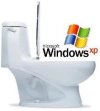
It all starts very subtly, around year 3 or so. You notice it takes a little longer to boot up every day. Then gradually, week by week, it continues to get worse, like a slow-growing mold. Eventually everything on your PC begins to crawl at a painful snail's pace.
Oh sure you try the usual fixes - run your virus scan, Ad-Aware and Spybot. Run a defrag on your hard drive. Skinny down your startup processes in the System Configuration Utility to the bare minimum and delete your temporary files. But eventually you just can't win. There's simply too much pollution in the registry and your PC is choking to death.
This is when it's time to raise the white lid in defeat and surrender to the inevitable - dump your computer and wipe it clean. Oh, it's a pain in the ass for sure (but so easy to make an
analogy between the process of running Windows and taking a crap), but a pain that must be dealt with - like hemorrhoids. Unfortunately, Preparation H won't do the trick here. Preparation "F", as in "Format c:", is the only cure left.

So "boo hoo" you might say. What's the big deal about dumping your computer anyway? Reformat the drive, reinstall the operating system and you're on your way!
Wrong. Why? Because there's a LOT of things you have to do to prepare for a total reinstall. You don't just wipe your PC and then go, "Oops, now what did I have on there before and how do I get it back?" Nope.
Here's a little list of the steps I'll be going through:
Software and File Audit This is where I find out what I actually have on my drive. I have an audit utility program that scans my PC and reports all the stuff that's on my harddrive. It came out 220 pages. I'll be using this list to determine what I'm going to keep and what I'm going to delete. I'll be using this list to remind me how much I'm going to hate this project.
Hardware and Device Audit Do I have all the drivers necessary to make everything function again? What about that old Palm Pilot Hot Sync from 5 years ago? What about that Zip Drive? What about that creepy Interactive Talking Winnie the Pooh doll thing?
Email Am I going to save all my current Inbox crap and restore it? All my address entries? Am I going to fry up the Spam and serve it with hashbrowns?
Downloads What about all the software I purchased through downloads? Do I know where all the original file programs are? Do I have the installation keys? Does the company I bought it from 6 years ago still exist so they can validate my registration and let me finish my damn install!
Upgrades These are software products that are installed as an upgrade from an earlier version. Do I still have the original? Should I go out and get drunk right now?
Windows XP This is my favorite one. This is the one where you reinstall XP but it makes you call some woman in India who tries to make you feel guilty for possibly reinstalling a pirated version on another computer. The conversation goes something like this:
Microsoft Support: "Can I help you?"
Me: "Yeah. I need a key to reinstall XP."
MS: "Sir, why are you trying to reinstall your operating system? Do you already have Windows XP installed on another computer?"
Me: "Uhhhh, No?"
MS: Is there something functionally wrong with your computer? Is there something functionally wrong with you?"
And so on. The bottom line is, this is not an easy or quick undertaking. I'm completely stressed that everything that can possibly go wrong will, and I'll lose all my children's birth pictures - even though they're not even on my computer!
So thank you Bill Gates. That's right, I blame you. I blame you because I now have to forfeit an entire weekend (if I'm lucky) dumping my computer because your crappy operating system is too stupid to keep itself clean.
I just hope my dump doesn't plug the toilet.
* * * * * * * * * * * * * * * * * * * * * * * * * * * * * * * * * * * * * * * * * * * * * * * * * * * * * * * * * * * * * *
2
comments